

 English
 中文简体
中文简体 русский
 Español
News
Home / News / Industry News / How to Choose the Right Data Center Fan for Optimal Cooling and Efficiency?
The performance of a data center fan directly affects server inlet temperatures, thermal runaway risks, and overall power usage effectiveness (PUE). Unlike a fan in a residential HVAC system, data center fans face unique challenges:
High heat density: Modern servers can generate over 10 kW per rack, and high-performance computing (HPC) racks may exceed 30 kW. Without adequate airflow, local hot spots can cause component failure or throttling.
Variable load profiles: Server utilization fluctuates, meaning cooling demand changes constantly. Fans must respond quickly to maintain setpoint temperatures without overshooting and wasting energy.
Redundancy and reliability: Data centers require N+1 or 2N redundant cooling. Fans must operate reliably for years, often 24/7/365, with minimal maintenance. A fan failure should not lead to a shutdown.
p>Energy efficiency: With power costs rising and sustainability mandates tightening, every watt saved in fan operation reduces both OPEX and carbon footprint. High-efficiency EC fans (electronically commutated) now offer substantial savings over traditional AC fans.
Choosing the wrong fan can lead to inadequate airflow, excessive noise, high energy bills, or frequent breakdowns. In the following sections, we break down the fan types, performance metrics, and selection criteria that every data center manager should know.
Data center fans are broadly categorized by their airflow direction and construction. Understanding the differences helps you match the fan to the application.
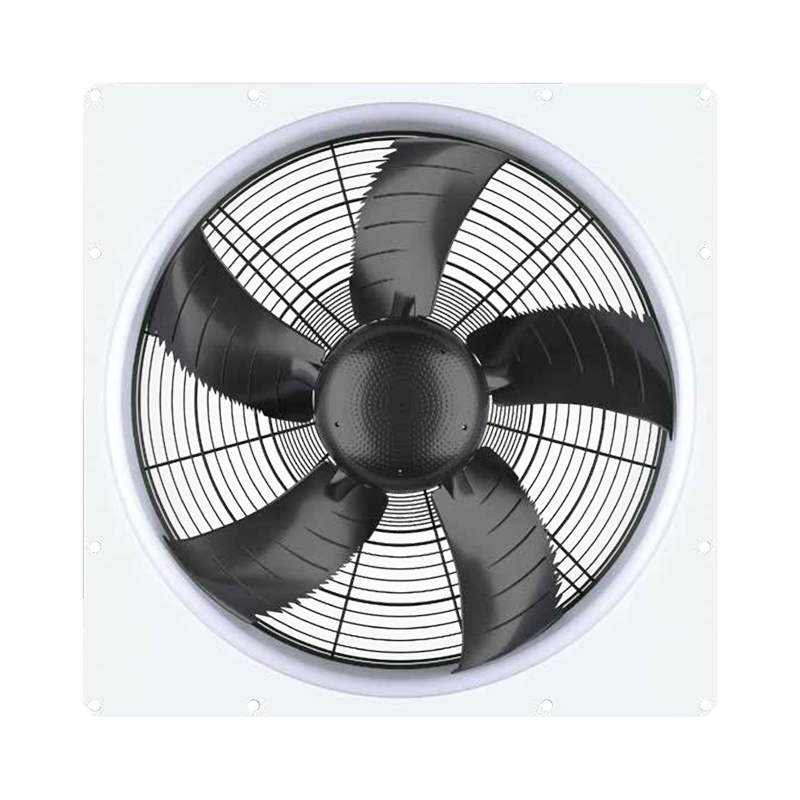
Axial fans move air parallel to the fan shaft, similar to a propeller. They are common in server chassis, heat sinks, and some cooling units. Advantages include high airflow at low static pressure, compact size, and low cost. However, axial fans struggle when faced with high resistance from dense filters, heat sinks, or long ductwork. Typical blade diameters range from 40mm (server chassis) to 300mm (cooling towers). In data centers, axial fans are often used for moving air across open spaces, such as in hot aisle containment systems or as supplementary fans in CRAC units.
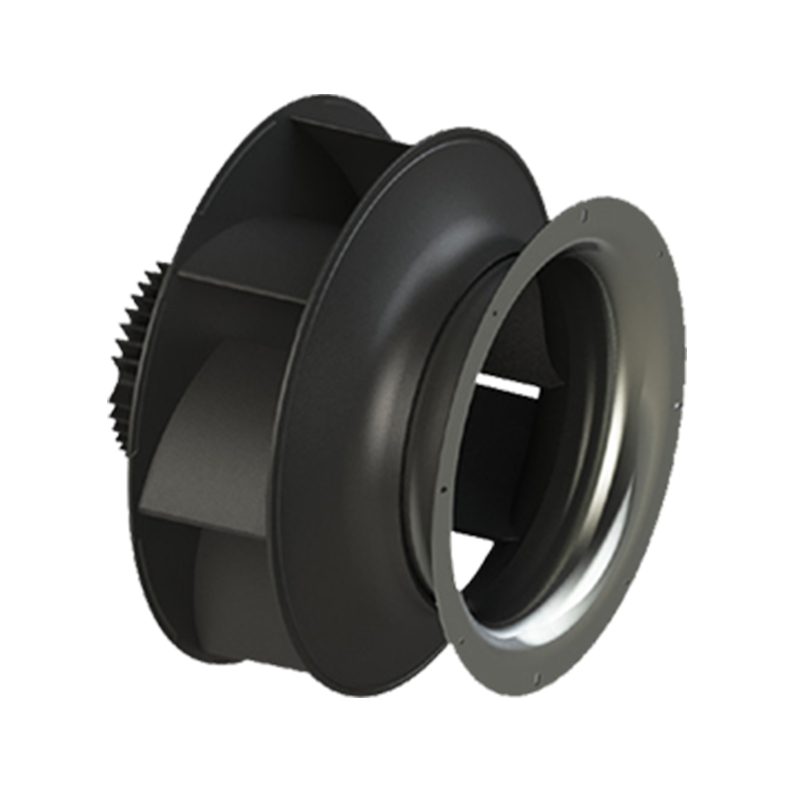
Centrifugal fans draw air into the center of the impeller and discharge it at a 90-degree angle. They generate higher static pressure than axial fans, making them ideal for pushing air through ductwork, filters, and coil banks. Centrifugal fans are the workhorses of CRAH and CRAC units, as well as in raised-floor plenum pressurization. The trade-off is lower airflow per unit of power compared to axial designs, and they tend to be noisier. However, with the advent of backward-curved impeller designs and EC motors, modern centrifugal fans can achieve high efficiency even at moderate pressures.
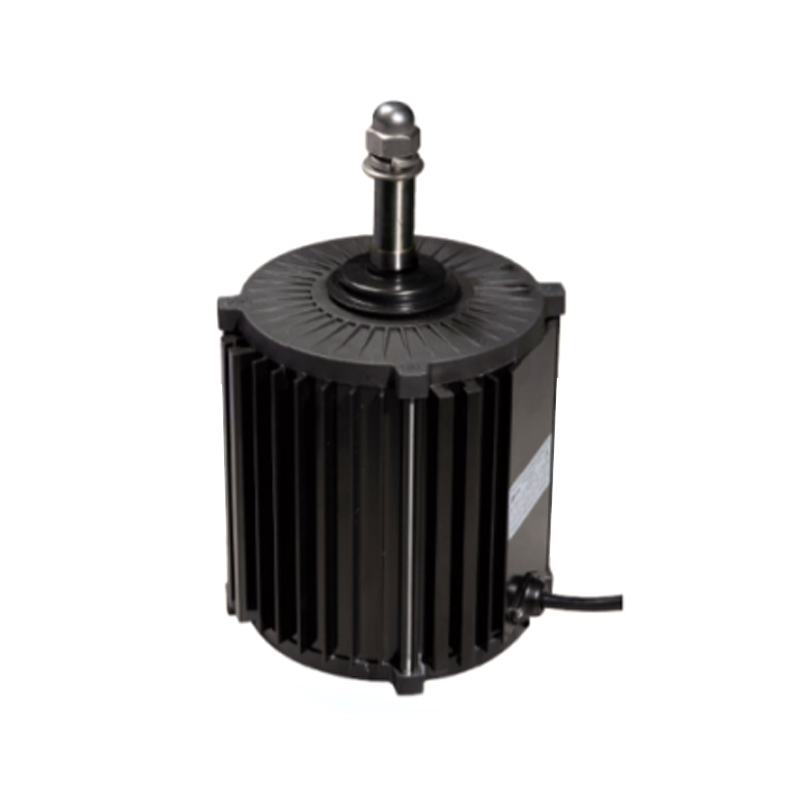
EC fans combine a brushless DC motor with an integrated controller. They are a game-changer for data center cooling. EC fans can achieve efficiencies of 70–85%, compared to 40–50% for traditional AC induction motors. They offer built-in speed control (via 0-10V, PWM, or Modbus), soft-start, and real-time monitoring of power and speed. EC fans also produce less heat themselves, further reducing cooling load. Many data centers are retrofitting older CRAH units with EC plug fans (also called EC centrifugal fans) to cut fan energy by 50–70%. EC technology is available in both axial and centrifugal configurations.
When selecting a data center fan, consider EC fans for any variable-speed or high-efficiency application. The higher upfront cost is typically recouped within 12–24 months through energy savings.
To choose the right fan, you must understand three interrelated parameters: airflow (CFM or m³/h), static pressure (in. H₂O or Pa), and the fan curve (a graph showing CFM vs. static pressure at a given speed).
Airflow (CFM): This is the volume of air moved per minute. For a server rack, you need enough CFM to keep the temperature rise across the server within the manufacturer's spec (typically 10-15°C rise). A rule of thumb is 100-150 CFM per kW of IT load for a typical raised-floor data center, but this varies with design.
Static pressure: Resistance to airflow comes from filters, louvers, ductwork, perforated tiles, and the server chassis themselves. Higher static pressure requires a fan capable of delivering adequate CFM against that resistance. For example, a fan in a CRAH unit may need to overcome 0.5-1.5 in. H₂O of pressure drop from cooling coils and filters.
Fan curve: Every fan has a characteristic curve that shows CFM on the horizontal axis and static pressure on the vertical. The fan operating point is where the system resistance curve (which also rises with CFM) intersects the fan curve. If the fan is too small, the operating point will be near the right side of the curve with low static pressure, causing insufficient airflow through high-resistance components. If the fan is oversized, you may need to throttle it, wasting energy. Using a fan with a steep curve (pressure drops quickly with increasing CFM) or a flat curve depends on the application. For variable air volume systems, a fan with a stable operating range is best.
Always obtain fan performance data from the manufacturer, not just the maximum CFM rating. The maximum CFM is measured with zero static pressure (free air), which is rarely the case in a real data center.
Where you place fans within the cooling system greatly affects overall efficiency and thermal management. Common architectures include:
Server-integrated fans: Each server, storage array, or switch contains its own small axial fans (usually 40mm, 60mm, or 80mm). These fans pull air from the front of the server and exhaust it out the rear. This is the most distributed approach. The advantage is that fans can ramp up or down based on individual component temperatures. The disadvantage is that many small fans are less energy-efficient than larger centralized fans, and they contribute to noise.
Rear-door heat exchanger (RDHx) fans: Some data centers use liquid-cooled rear doors with fans that pull air through the door's cooling coil. This approach allows higher rack densities because the heat is captured at the rack level. Fans are typically larger (120-200mm) and can be EC type.
CRAC / CRAH unit fans: These are large centrifugal fans (or array of smaller fans) that move air through cooling coils and into the raised floor or overhead ducts. In a raised-floor design, fans push cold air into the plenum, which then exits through perforated tiles in front of racks. In a hot-aisle containment design, fans pull hot air from the hot aisle into the cooling unit. Larger fans are more efficient per CFM than many small fans, so centralized CRAH fans are typically the most energy-efficient method, provided the airflow distribution is balanced.
In-row coolers: These are cooling units placed between racks. They contain fans (often EC centrifugal) that blow cold air horizontally into the cold aisle. In-row coolers are popular for high-density zones because they can target hot spots precisely.
Selecting the right fan type depends on your cooling architecture. For example, a raised-floor data center relies on high-static-pressure CRAH fans to push air through floor tiles; axial fans would not suffice. In contrast, an open-aisle contained system may use low-pressure, high-volume axial fans.
Simply running fans at full speed all the time is wasteful. Modern data centers employ intelligent fan control to match airflow to real-time demand.
On/off control: The simplest but least efficient. Fans run at 100% when cooling is needed, and off when not. Frequent cycling can stress motors and cause temperature swings.
Two-speed or multi-speed: Fans have a few discrete speed settings (e.g., low/medium/high). Better than on/off but still not optimal for fine-grained control.
Variable speed (VFD or EC): Using variable frequency drives (VFDs) on AC fans or the built-in controller on EC fans allows continuous speed modulation from 10% to 100%. This is the gold standard. Fan power is proportional to the cube of the speed (e.g., reducing speed by 20% cuts power by nearly 50%). By adjusting fan speed based on temperature sensors placed at server inlets, you can maintain a setpoint (e.g., 75°F) while minimizing energy use.
Control logic: Advanced control systems use PID loops or model predictive control. They may also incorporate external factors like outside air temperature (for economizer modes) and IT load forecasts. Many data center management software platforms integrate with EC fan controllers to provide real-time adjustments across dozens or hundreds of fans.
Importantly, if you have a data center fan that is part of a redundant group (e.g., three fans in a CRAH unit, two required for cooling), the control system should run all fans at lower speeds rather than shutting one off. Running three fans at 60% speed uses less power than two fans at 100% speed, and it provides better redundancy.
Data centers cannot afford cooling failures. Fans are electromechanical devices that will eventually wear out. Therefore, fan redundancy is essential.
Fan redundancy within a unit: Most CRAH units and in-row coolers come with multiple fans (e.g., 4, 6, or 9 fans) configured in an N+1 or N+2 arrangement. If one fan fails, the remaining fans automatically speed up to maintain total airflow. This requires that each fan be individually monitored and that the controller has a “run-on-failure” algorithm. When selecting fans, ensure they are hot-swappable (can be replaced without shutting down the unit).
Server-level fan redundancy: Many enterprise servers have dual or triple fan modules. If one fan dies, the others ramp up. The server can continue operating until a maintenance window. Choose servers with N+1 or 2N fan configurations.
Cooling unit redundancy: Beyond individual fans, the entire CRAC or CRAH unit may be redundant (N+1). This is standard in Tier III and Tier IV data centers. The fan selection in each unit must be capable of handling the full load in case of a unit failure.
Regular fan failure analysis helps predict end-of-life. Most fans have a rated lifetime of 40,000 to 100,000 hours (about 5-11 years) at 40°C ambient. Running fans at lower speeds extends life, while high temperatures accelerate bearing wear. Use fans with sealed ball bearings or fluid-dynamic bearings for longest life.
ASHRAE Standard 90.1 and other energy codes now require fans to meet minimum efficiency levels. For data center fans, look for these metrics:
Fan Efficiency Grade (FEG): Defined by AMCA (Air Movement and Control Association), FEG rates fans from 60 to 80 (higher is better). Most EC fans achieve FEG 71 or 73. When specifying a fan, ask for the FEG at the design operating point, not just the peak efficiency.
Fan Energy Index (FEI): A more recent metric that compares the fan’s energy use to a baseline fan. FEI >1.0 means the fan is more efficient than the baseline. EC fans often have FEI of 2.0 to 4.0.
Specific Fan Power (SFP): This is the power consumed per unit of airflow (e.g., W per CFM or W per L/s). A typical CRAH unit with AC fans might have SFP of 0.25 W/CFM, while an EC fan can achieve 0.10 W/CFM or lower. Lower SFP means less energy for the same cooling.
When evaluating a data center fan, request the manufacturer’s efficiency data at your expected operating point. Many fan selections that look good on paper (peak efficiency) actually operate in a low-efficiency region due to system resistance. Using fan selection software (e.g., FanSelect, FanWizard) can help you optimize.
While data centers are usually not occupied by employees for long periods, noise still matters. Excessive noise can be a nuisance for nearby offices and may violate local ordinances. Also, high noise often indicates inefficiency (aerodynamic noise from turbulence).
Fan noise is typically measured in dBA (A-weighted decibels) at a specified distance. For a large CRAH unit, noise may exceed 80 dBA near the fan, but the data center floor may be around 70 dBA. Server-level fans can produce annoying high-frequency whine. To reduce noise:
Noise is rarely the primary constraint in data center fan selection, but it should not be ignored.
Proper installation and maintenance extend fan life and ensure peak performance. Follow these guidelines:
Pre-installation checks: Verify that the fan mounting orientation matches the intended airflow direction (arrows on the housing). Inspect for shipping damage. Measure the voltage and frequency of the power supply.
Electrical connections: For EC fans, ensure that the control signal (0-10V, PWM, RS485) is correctly wired and shielded. Use twisted pair for communication. Do not run control wires alongside power cables to avoid interference.
Airflow verification: After installation, use an anemometer or a thermal camera to confirm that airflow matches design expectations. For CRAH units, check pressure drop across filters and coils.
Routine maintenance: Schedule quarterly inspections: clean fan blades and housing to prevent dust buildup (which unbalances the rotor), check bearings for play, listen for unusual vibration or noise, and tighten electrical connections. For belt-drive fans (rare in modern data centers), check belt tension and alignment.
Firmware updates: EC fans often have firmware that can be updated to improve control algorithms or fix bugs. Check the manufacturer’s website periodically.
Lubrication: Most modern fans have sealed bearings that do not require lubrication. Do not attempt to oil them unless specified.
As rack densities increase beyond 30 kW, traditional air cooling becomes challenging. Direct-to-chip liquid cooling and immersion cooling are growing. However, even in liquid-cooled data centers, fans still play a role. For example, in a direct-to-chip setup, fans are still needed to cool memory modules, power supplies, and other components not on the liquid loop. In immersion cooling, fans are eliminated for the submerged IT gear, but external systems may still use fans for heat rejection to dry coolers.
The trend is toward higher efficiency fans with better control. Fan manufacturers are incorporating IoT sensors (vibration, temperature, power) that connect to DCIM (Data Center Infrastructure Management) systems. This enables predictive maintenance and real-time optimization of cooling. Some cutting-edge data centers are using fans with magnetic bearings (contactless operation) that achieve near-zero friction and extremely long life, though at high cost.
Despite the rise of liquid cooling, the data center fan will remain essential for the foreseeable future, especially for the massive installed base of air-cooled servers and for hybrid cooling architectures.
When selecting a fan, look beyond the purchase price. The total cost of ownership (TCO) includes energy, maintenance, and downtime risk. Use this formula for a quick TCO comparison over a 10-year period:
Annual energy cost = (Fan power in kW) × (Operating hours per year) × (Electricity rate per kWh). For a 1 kW fan running 8760 hours at $0.10/kWh, annual energy cost = $876. Over 10 years, that's $8,760. A high-efficiency fan that costs $200 more but saves 300W (0.3 kW) will save $2,628 over 10 years, making it a better choice.
Also factor in maintenance: less reliable fans may need replacement every 5 years, adding to TCO. EC fans typically have lower MTBF (mean time between failures) than basic AC fans? Actually, EC fans are generally more reliable due to fewer mechanical parts (no belts, no capacitors).
Finally, consider the cost of downtime if a fan fails. For a mission-critical data center, even one minute of overheating can cause outages costing thousands or millions of dollars. Therefore, investing in premium fans with high reliability and redundancy is justified.
Even experienced engineers can fall into these traps:
Mistake 1: Oversizing fans. Bigger fans are not always better. An oversized fan operating at low speed may still have poor efficiency at the required static pressure. Always use the fan curve to match system resistance.
Mistake 2: Ignoring altitude. At high altitudes (e.g., Denver or Mexico City), air density is lower, reducing fan airflow and motor cooling capability. Correct fan performance for altitude; you may need a larger fan or a different motor.
Mistake 3: Neglecting filter loading. As filters clog, static pressure increases. If the fan cannot deliver the required CFM against higher pressure, airflow will drop. Design for the dirty filter condition, not just clean.
Mistake 4: Forgetting about hot spots. Even with adequate total airflow, local recirculation or unbalanced supply can cause hot spots. Use computational fluid dynamics (CFD) modeling to verify fan placement and airflow patterns.
Mistake 5: Using fans without speed control. In a modern data center, fixed-speed fans waste massive energy during partial loads. Always specify variable speed, whether through VFD or EC technology.
A medium-sized colocation data center in Virginia had 20 CRAH units, each equipped with two 15 HP AC centrifugal fans running at constant speed (5,000 CFM each). The annual cooling fan energy was 1.6 million kWh. The facility decided to retrofit one CRAH unit with a fan array of eight 10-inch EC plug fans (total airflow same, but variable speed). After retrofitting the single unit, they measured 64% fan energy reduction at typical load (70% speed). Projecting across all 20 units, the retrofit would save over 1 million kWh annually, with a payback of 18 months. Additionally, the EC fans allowed finer control, reducing cold aisle temperature fluctuations and eliminating several hot spots. This real-world example shows the power of selecting the right data center fan technology.
What is the most energy-efficient type of fan for a data center? Electronically commutated (EC) fans, particularly EC centrifugal fans with backward-curved impellers, offer the highest efficiency across a wide operating range. They can be 30-50% more efficient than traditional AC fans.
How often should data center fans be replaced? Fans with ball bearings typically last 40,000-70,000 hours (5-8 years) when run continuously at 40°C. High-quality EC fans with fluid-dynamic bearings can last 80,000-100,000 hours (9-11 years). Replace when bearing noise increases, or when the fan fails to meet speed or current specifications.
Can I use standard industrial fans in a data center? It is not recommended. Data center fans must be rated for continuous operation at elevated temperatures (often up to 50°C), with low electromagnetic interference (EMI) and high reliability. Specialized server fans also have specific form factors (e.g., 40mm x 56mm). Always use fans designed for IT or data center environments.
How do I calculate the required CFM for my server room? A rough method: measure total IT load in kW. For a raised-floor air-cooled room, estimate 100-150 CFM per kW. For a high-density rack, use server manufacturer's specifications (often in the data sheet). Better: use CFD software or hire a thermal consultant.
Why do some data center fans have a green LED or status light? Many EC fans have integrated status LEDs to indicate power, speed, or fault conditions. In large fan arrays, these help technicians quickly identify a failed fan without tools.
What is the difference between a fan wall and a traditional fan? A fan wall consists of multiple small fans (e.g., 8-12 fans) arranged in a matrix within a cooling unit, replacing a single large fan. Fan walls offer higher redundancy (N+2 or more), lower noise, easier service, and can be more efficient due to modular control. They are increasingly common in new CRAH units.
Can I clean dust from data center fans without disassembling them? Yes, use compressed air (low pressure, e.g., 30 psi) while holding the fan blades to prevent overspeed. Vacuum the dust after blowing. For server fans, it is best to remove the fan module if possible to avoid spreading dust inside the server.
How do I know if my fan is failing? Signs include: increased vibration, unusual noise (grinding, rattling, whining), slower rotation than commanded, higher current draw (if monitored), or the server reporting a fan fault. Many management systems can alert you to fan failures in real time.
Is it better to have many small fans or fewer larger fans? For a given airflow and pressure, a single large fan is generally more efficient than many small fans because larger blades have lower tip losses and higher Reynolds numbers. However, large fans have poor redundancy and may require downtime for replacement. The industry trend is toward fan arrays (multiple medium-sized fans) that combine efficiency, redundancy, and serviceability.
What is the typical lifespan of a server's built-in fan? Server fans are rated for 40,000 to 70,000 hours at 40°C ambient. In practice, many fail after 4-5 years in warm environments. High-quality servers have fan life monitoring and can warn you before failure.
How does altitude affect data center fan performance? At higher altitudes, air density is lower, which reduces both the mass flow rate (actual cooling capacity) and the fan’s ability to generate static pressure. To compensate, you may need to increase fan speed (if variable) or select a larger fan. For example, at 3,000 m altitude, derate airflow by about 20-25%.
Can data center fans be controlled by temperature sensors on the servers? Yes, many DCIM systems use server inlet temperature readings to modulate CRAH fans or in-row cooler fans. This is called "supply air temperature reset" or "demand-based cooling." Some server fans themselves are controlled by onboard thermal sensors.
Are there fans designed specifically for hot-aisle containment? While any fan can be used, hot-aisle containment often uses fans in the cooling units that pull hot air from the hot aisle. These fans need to be rated for higher intake temperatures (up to 95°F/35°C or more). EC fans are well-suited due to their ability to operate in warmer airstreams without derating.
What is the quietest fan for a small server closet or home lab? Look for 120mm or 140mm fans with fluid-dynamic bearings (e.g., Noctua, be quiet! brands) and low maximum RPM (e.g., 1500 RPM). For server rack fans, choose EC axial fans with speed control and rubber mounts to reduce vibration.
How do I measure the actual CFM of my fan in situ? Use a vane anemometer or a hot-wire anemometer. For ducted fans, measure the average air velocity across the duct cross-section and multiply by area. For open fans (like CRAH discharge), it is more complex; use a flow hood or rely on manufacturer's data with pressure readings.
Do data center fans require UL/cUL certification? Yes, for safety and code compliance, fans installed in data centers in North America must be UL 507 listed (for fans) or UL 60335 for appliance fans. Many EC fans carry these certifications. Always verify.
Can I mix AC and EC fans in the same cooling unit? Not recommended. Different fan types have different control characteristics and may interfere with each other’s airflow. Moreover, the unit’s controller may not support both. Stick with one type per unit.
What is the typical warranty for a data center fan? Consumer-grade fans (e.g., in servers) may have 1-3 years warranty. Industrial EC fans used in CRAC units often come with 3-5 years warranty. Some premium manufacturers offer 7 years on the motor. Always check the warranty terms.
How do I dispose of old data center fans? Fans contain copper, steel, aluminum, and sometimes small circuit boards. Many electronic waste recyclers accept fans. Do not throw them in regular trash if possible. Some fan manufacturers have take-back programs.
Final recommendation: The heart of any efficient data center cooling system is a well-chosen, properly controlled data center fan. Prioritize EC technology, use variable speed control, design for N+1 redundancy, and regularly monitor fan health. By applying the principles in this guide, you can reduce cooling energy consumption by 30-50%, extend equipment life, and ensure that your data center remains reliable even as IT loads grow. Whether you are building a new facility or retrofitting an old one, investing in the right fans pays dividends in both operational savings and peace of mind.
The variety of models, to meet the development needs of various regions in the world.

© 2025 Zhejiang Kemao Holding Group Co., Ltd.
All Rights Reserved.
 OEM/ODM HVAC Axial Fan Manufacturers